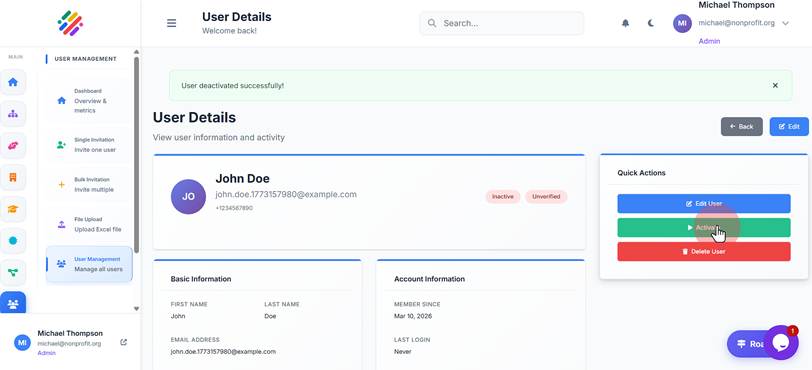
Activate / Deactivate Users
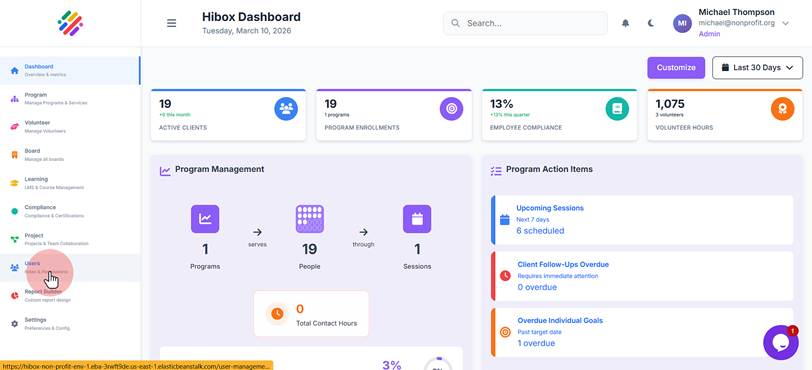
1. Click "Users Roles & Permissions"
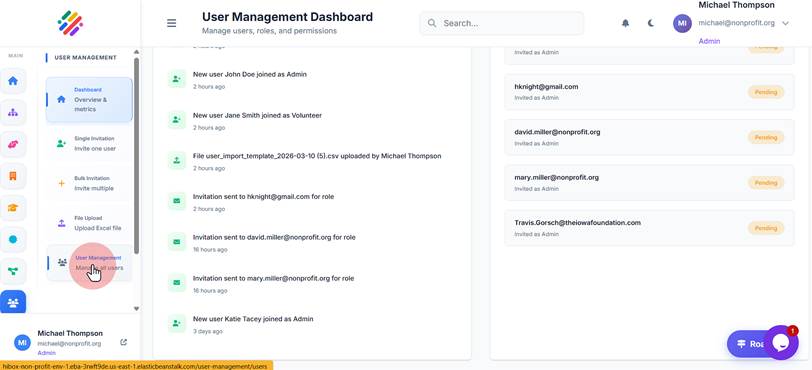
2. Click "User Management Manage all users"
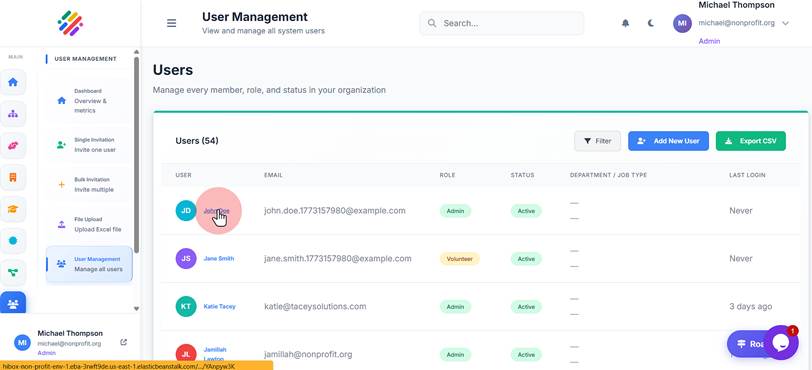
3. Select the user you wish to deactivate or activate
4. Click "Deactivate" and the user will be deactivated.
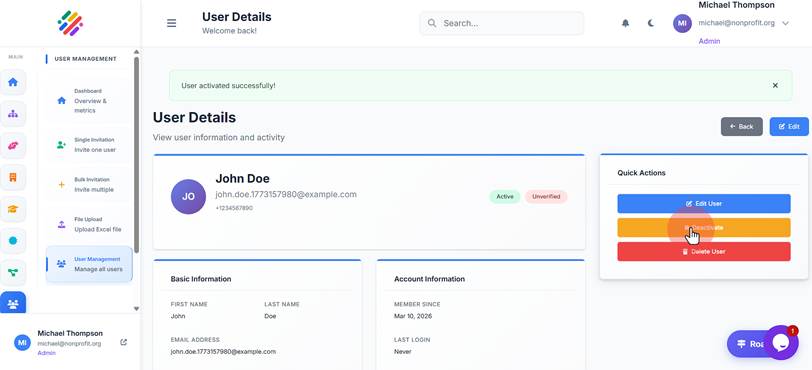
5. Click "Activate" to activate the user immediately