Add or Remove Courses from a Learning Path
Add or Remove Courses from a Learning Path
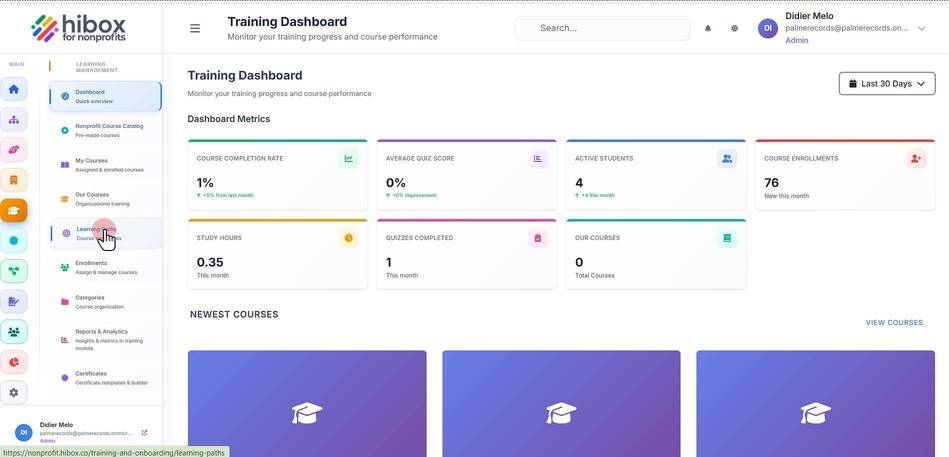
1. Click "Training & Onboarding" on the left-side menu
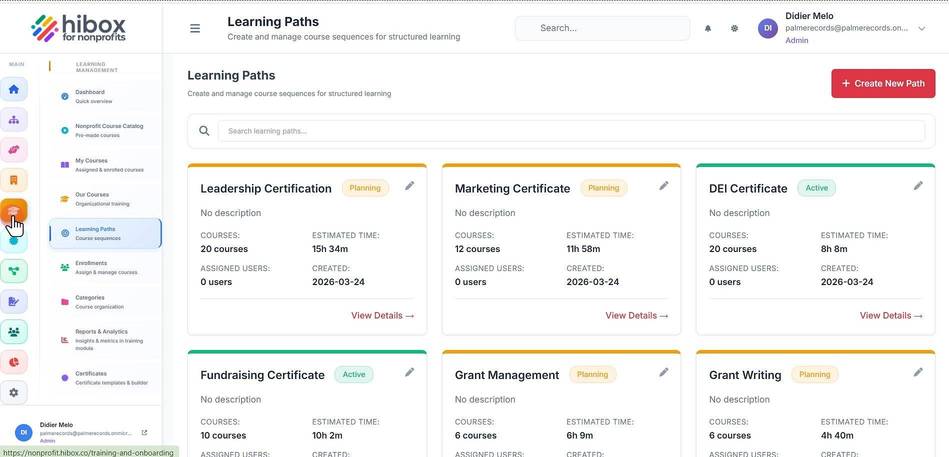
2. Click "Learning Paths" on the submenu
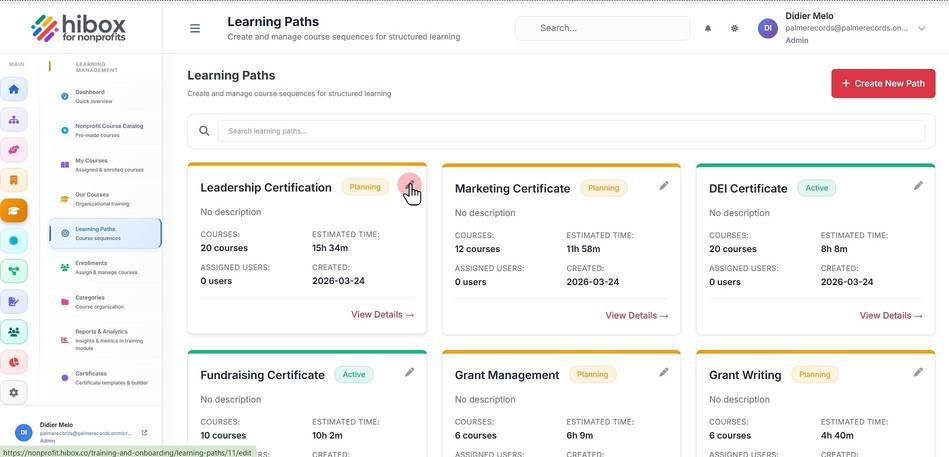
3. Find the Learning Path and click "Edit"
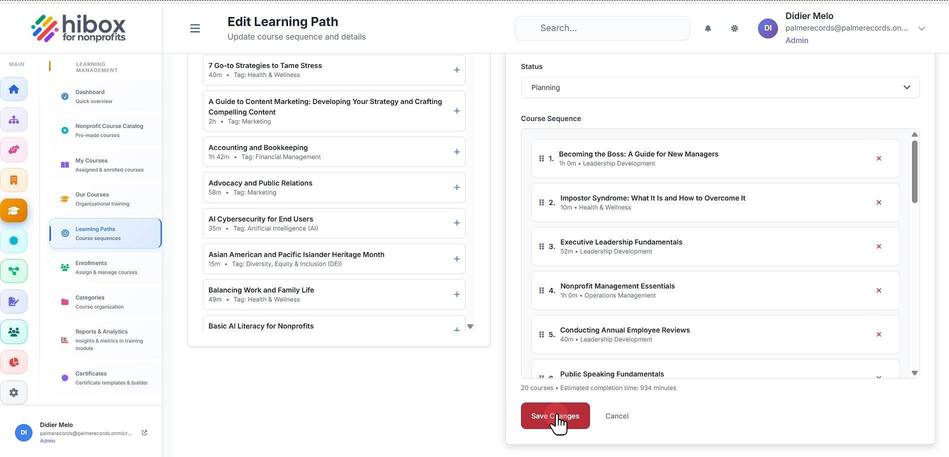
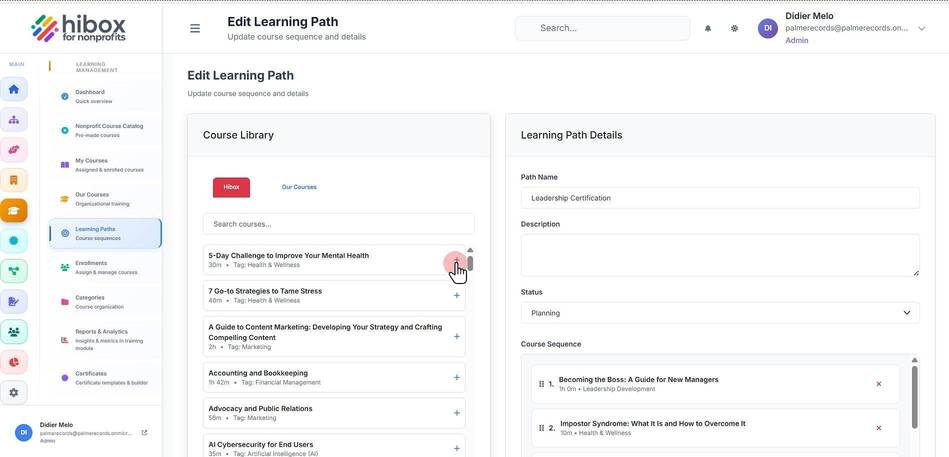
4. Add more courses from the "Course Library" by clicking on the "+" sign next to each course
5. On the right-side section, click the "X" icon to delete a course
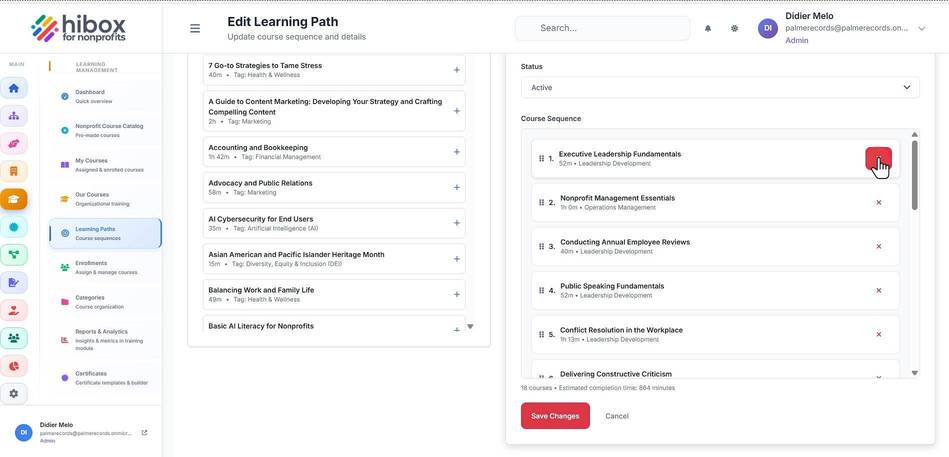
6. Click "Save Changes"