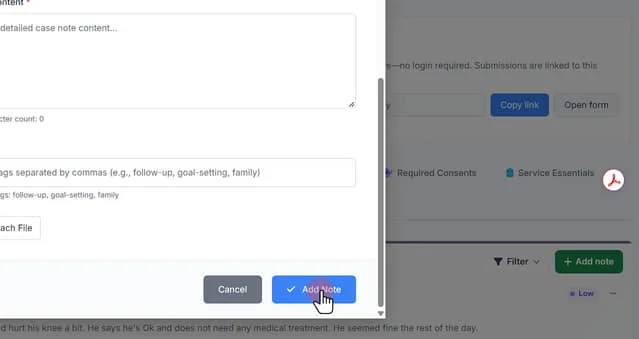
Adding Case Notes to a Client Record
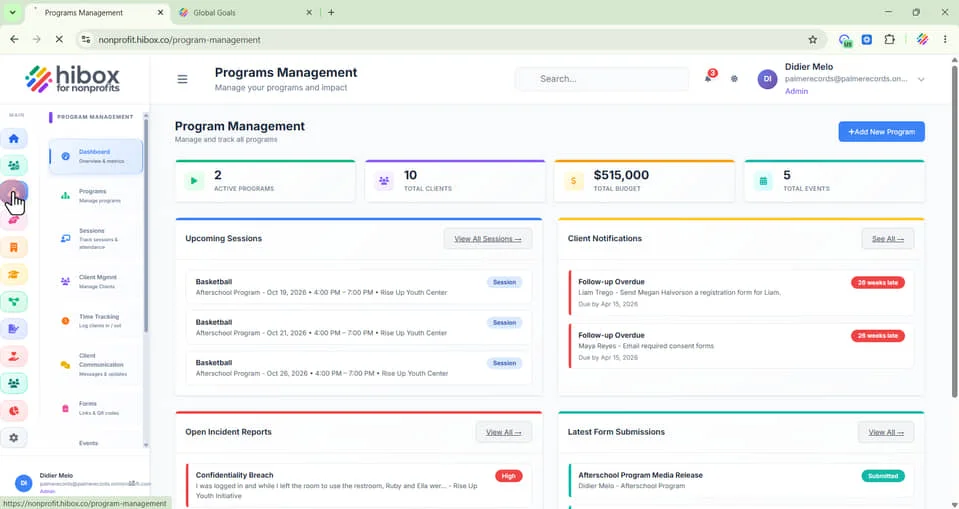
1. On the left-sside menu, click "Program Management"
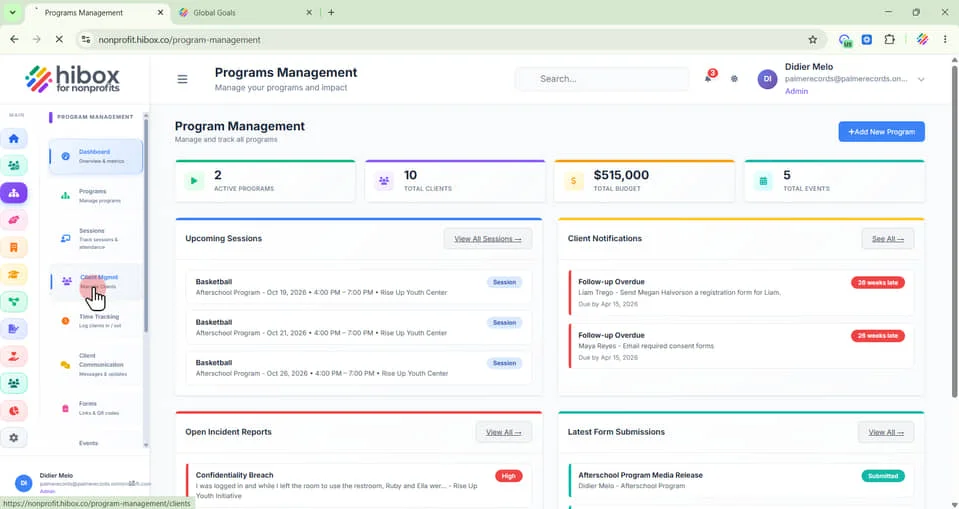
2. Click "Client Mgmnt" on the sub-menu
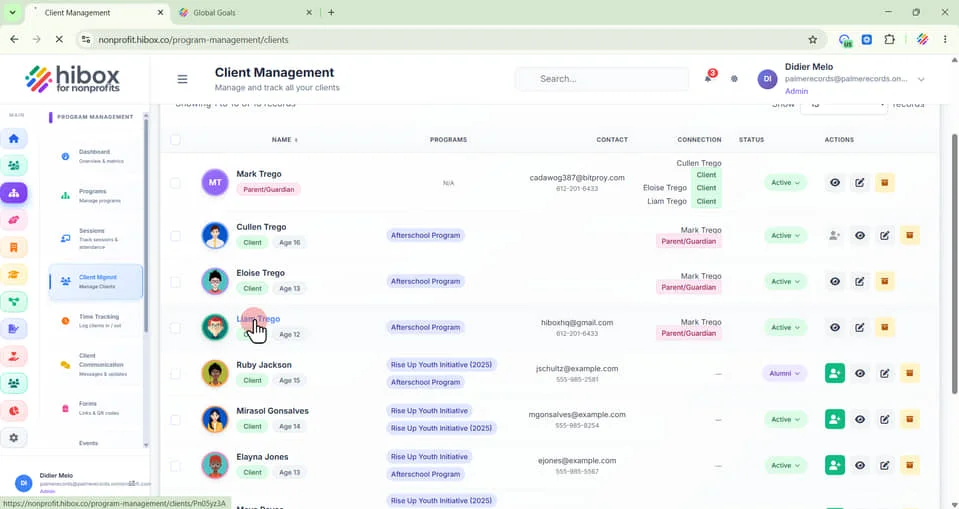
3. Scroll down to find the client profile
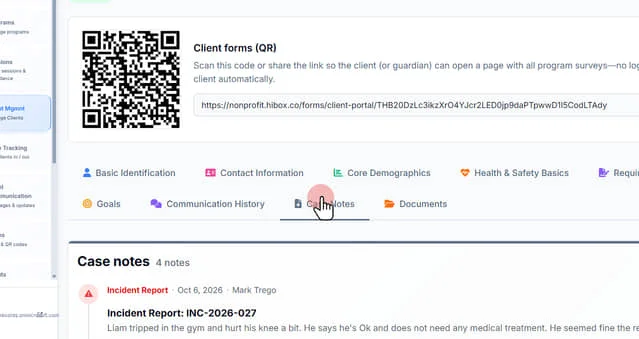
4. Click "Case Notes" on the sub-menu
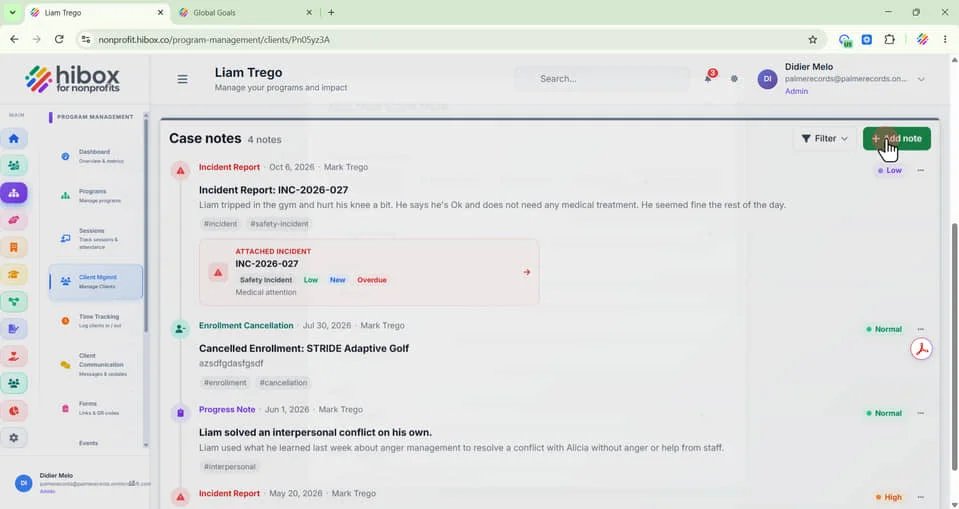
5. Click "+ Add note"
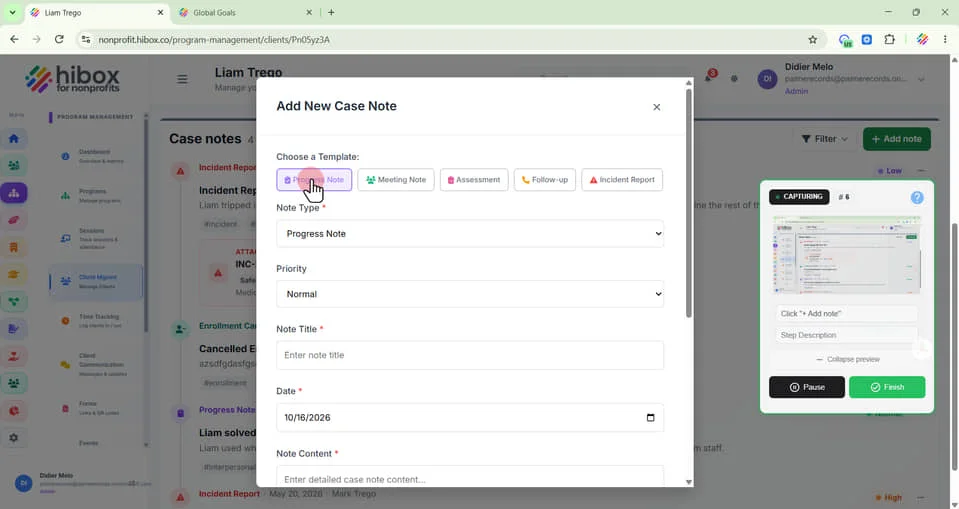
6. Select if you need a "Progress Note", "Meeting Note", "Assesment", "Follow-up", "Incident Report"
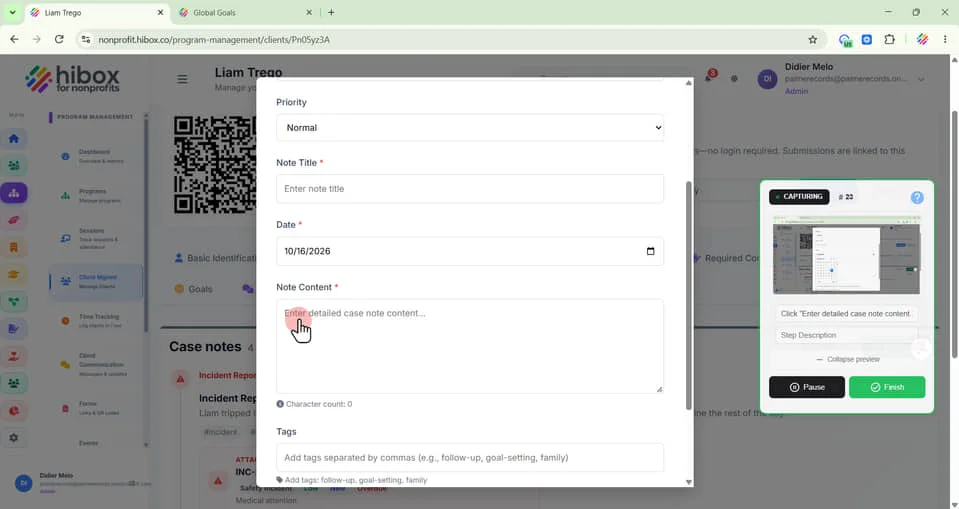
7. Set a "Priority"
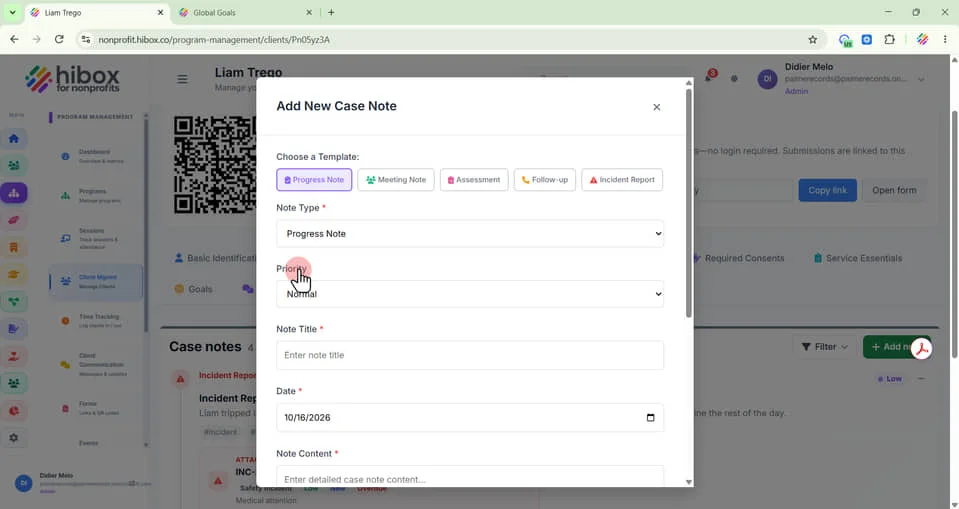
8. Select "Normal"
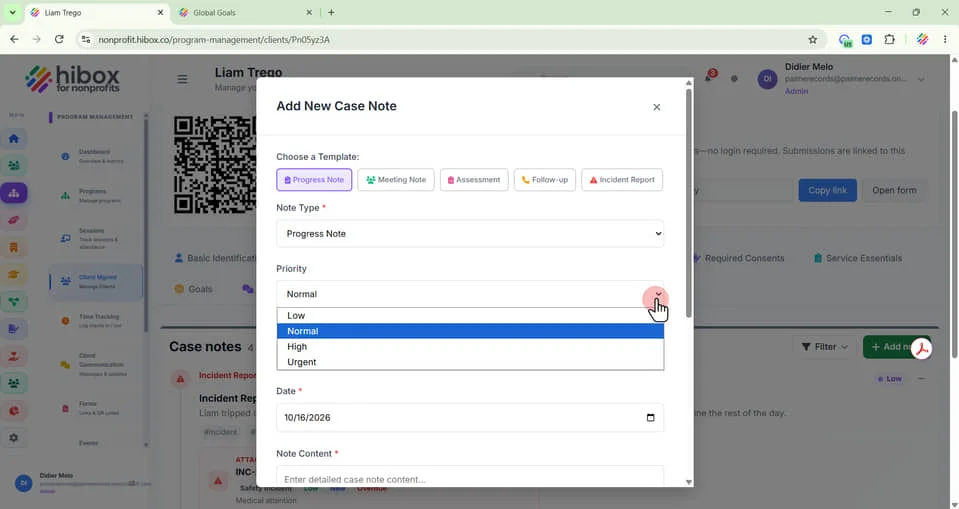
9. Add a "Note Title"
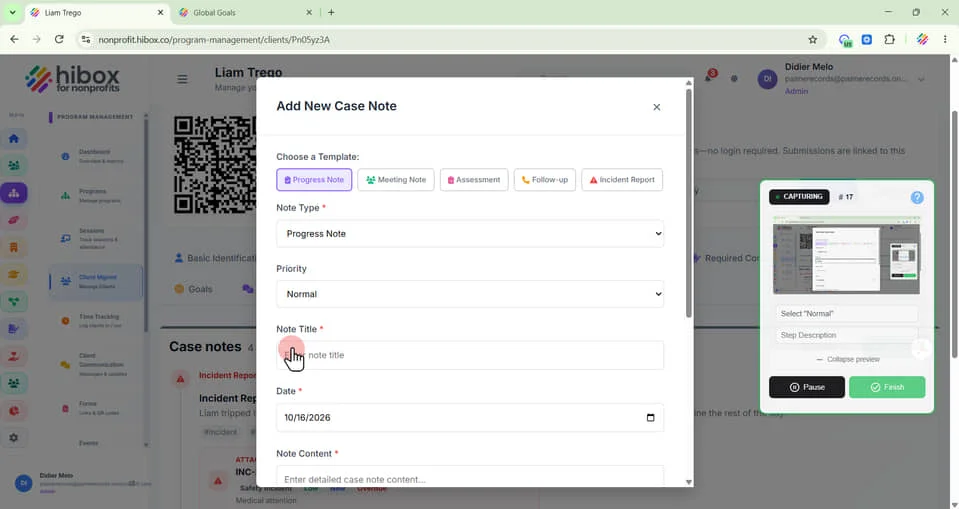
10. Set a "Date" manually
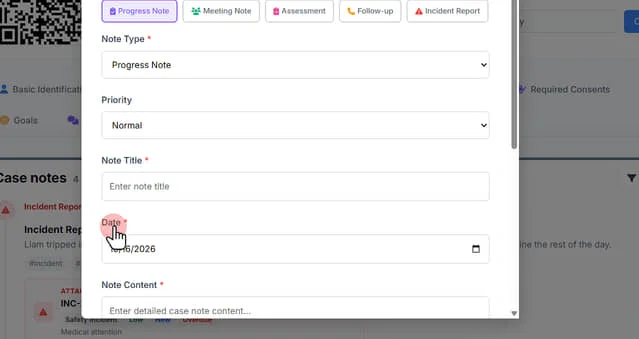
11. or click on the calendar icon to select from the calendar view
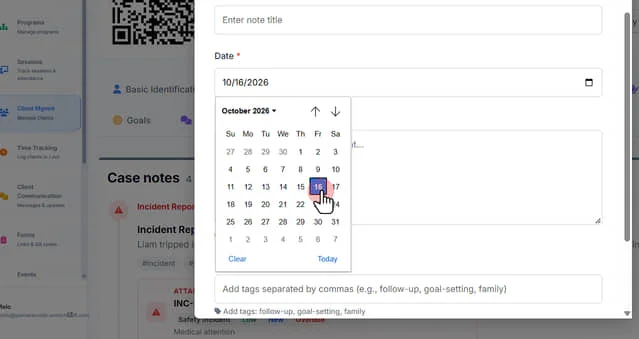
12. Enter detailed case note content here
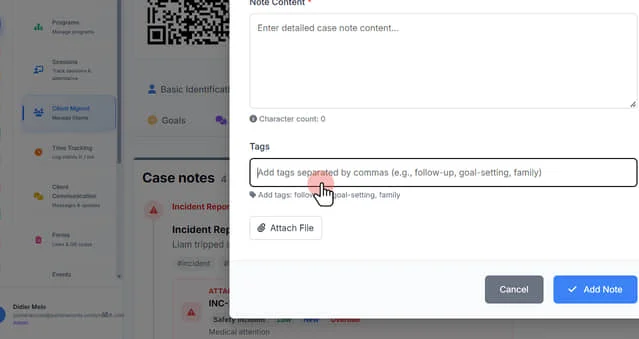
13. Add tags separated by commas (e.g., follow-up, goal-setting, family)
14. Click "Attach File" if you want to upload any files related to this case note
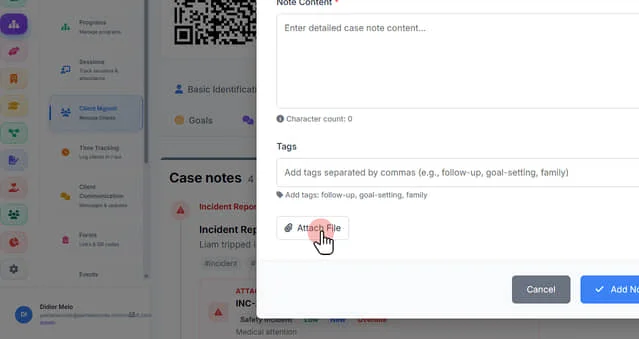
15. Click "Add Note to save and finish"