Feedback
Knowledge Base
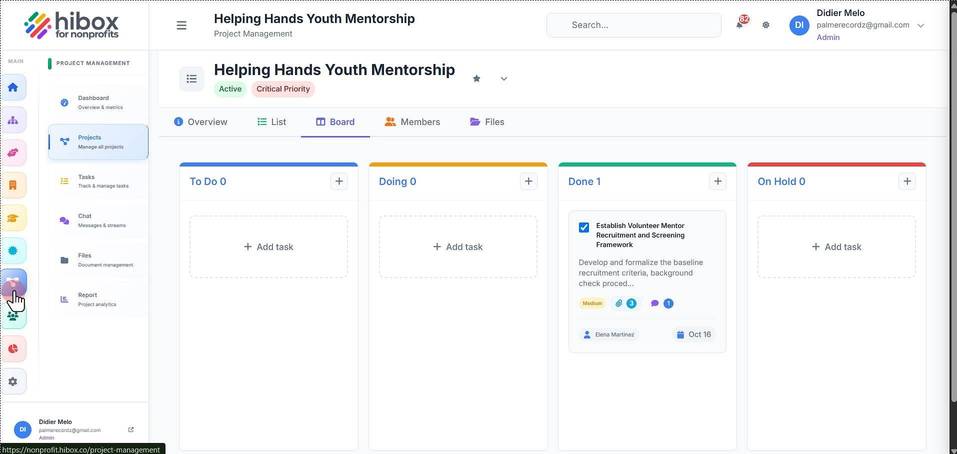
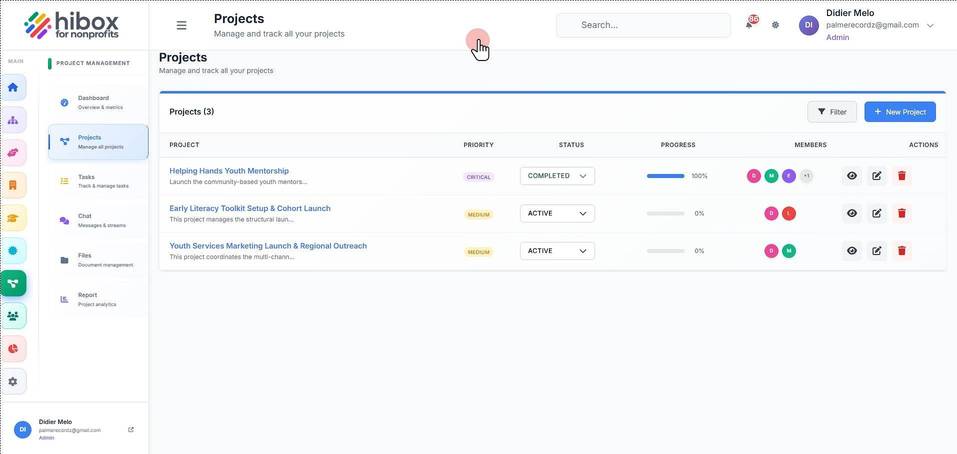
1. Click "Project Management"
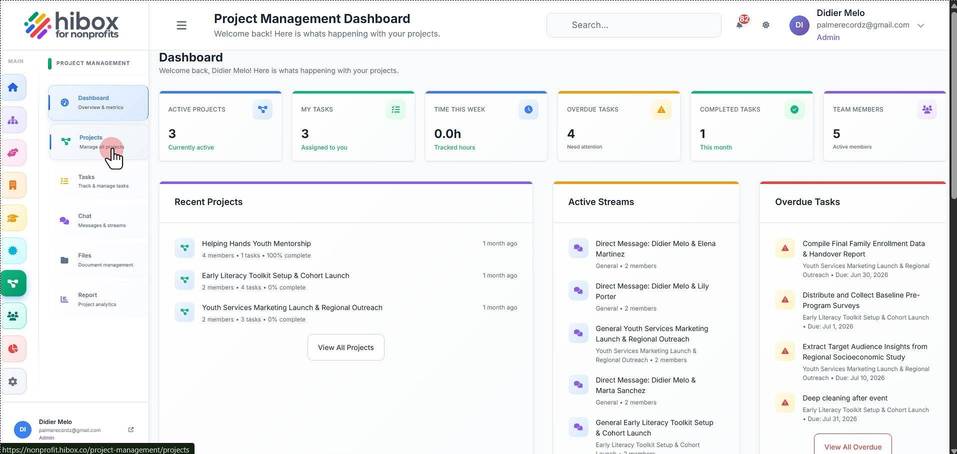
2. Click "Projects" on the sub-menu
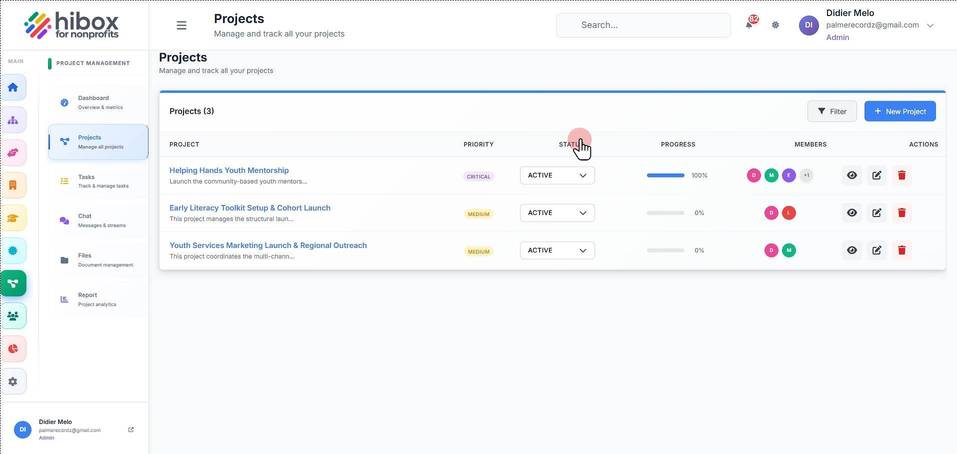
3. Find the "STATUS" column
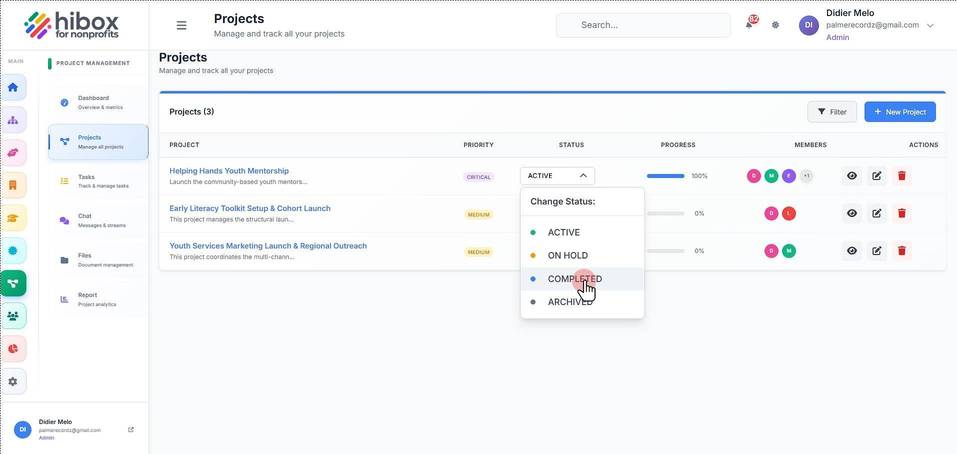
4. Use the dropdownmenu to change the status
5. You will see the new status on the "STATUS" column
We use optional analytics cookies to understand and improve this site. Cookie policy