Feedback
Knowledge Base
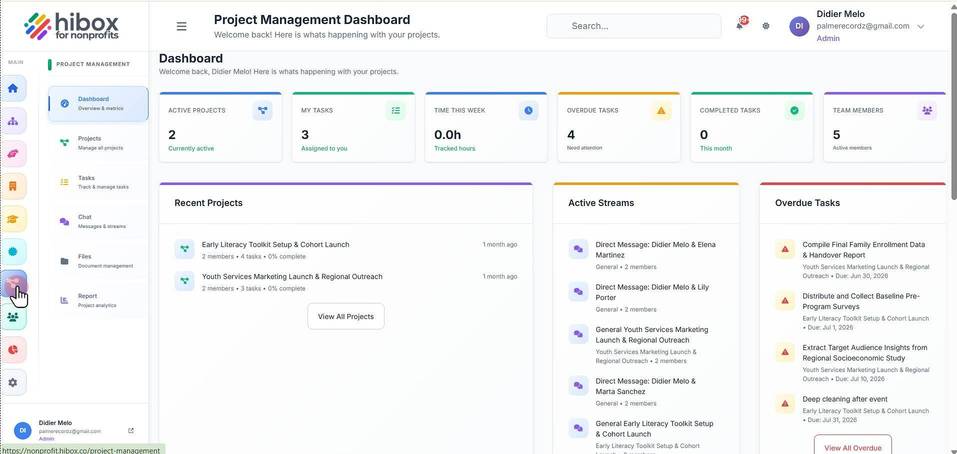
1. Click "Project Management" on the left-side menu
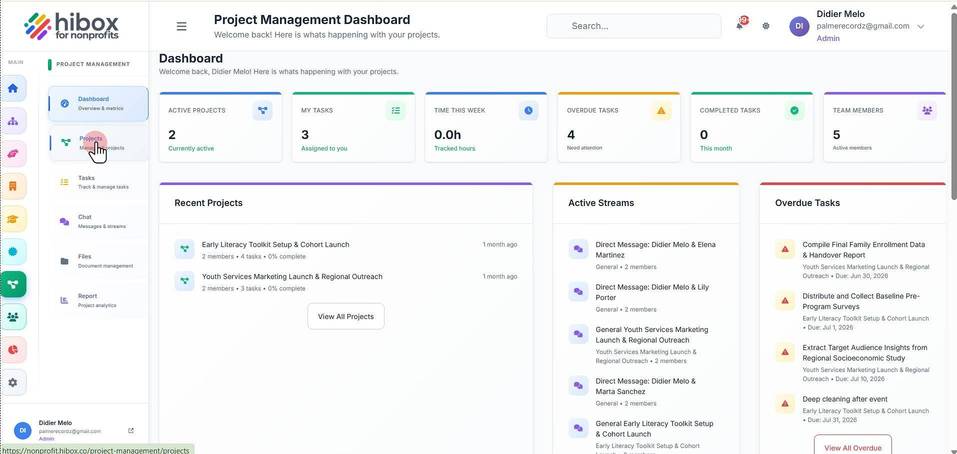
2. Click "Projects" on the sub-menu
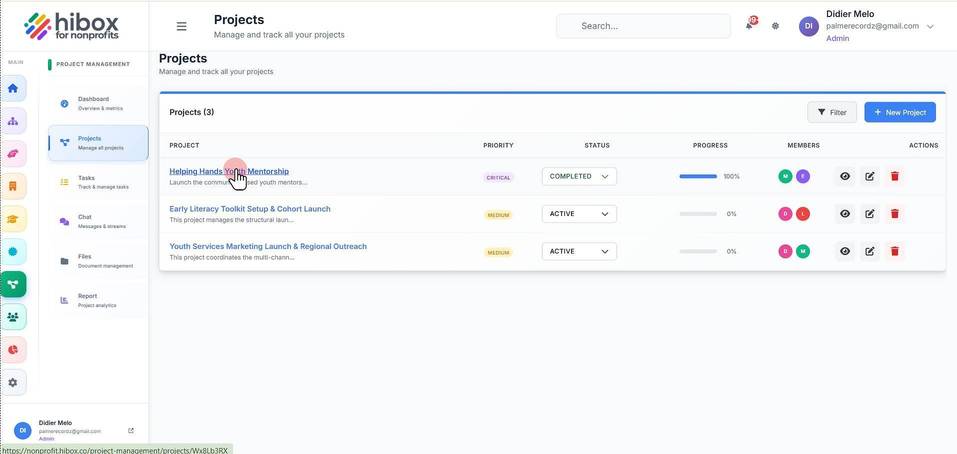
3. Click on the project name
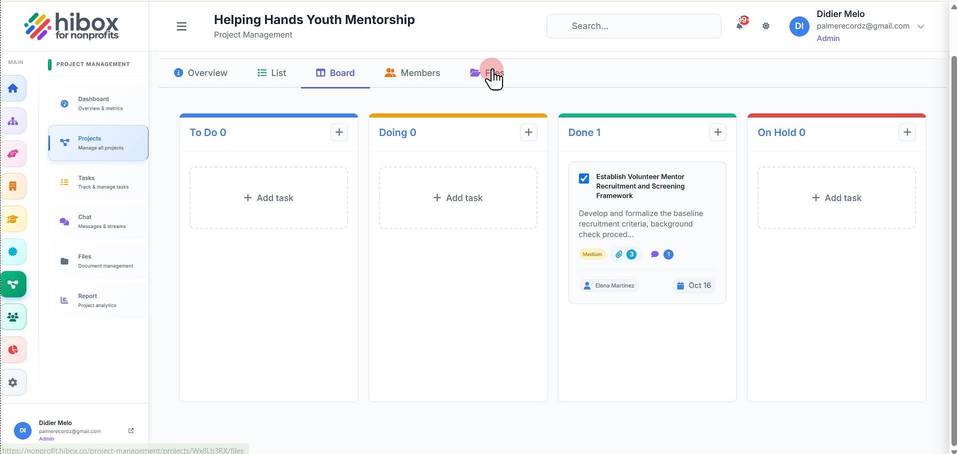
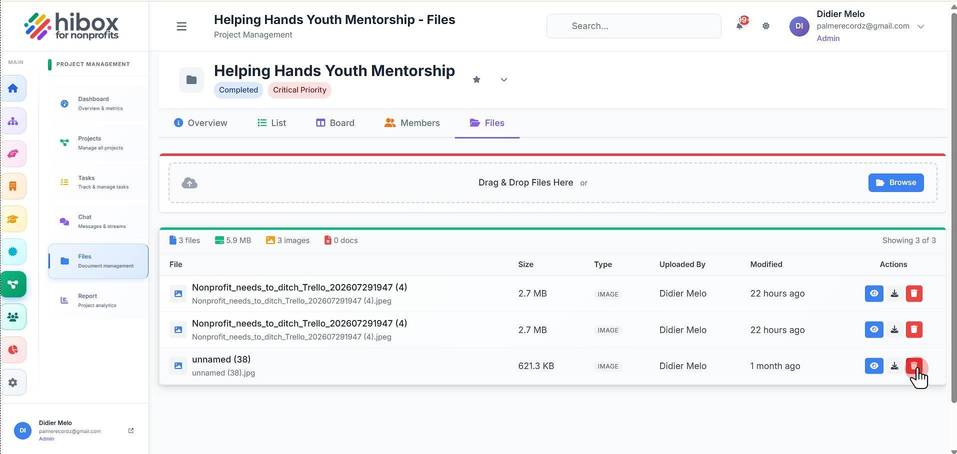
4. Navigate to the "Files" section
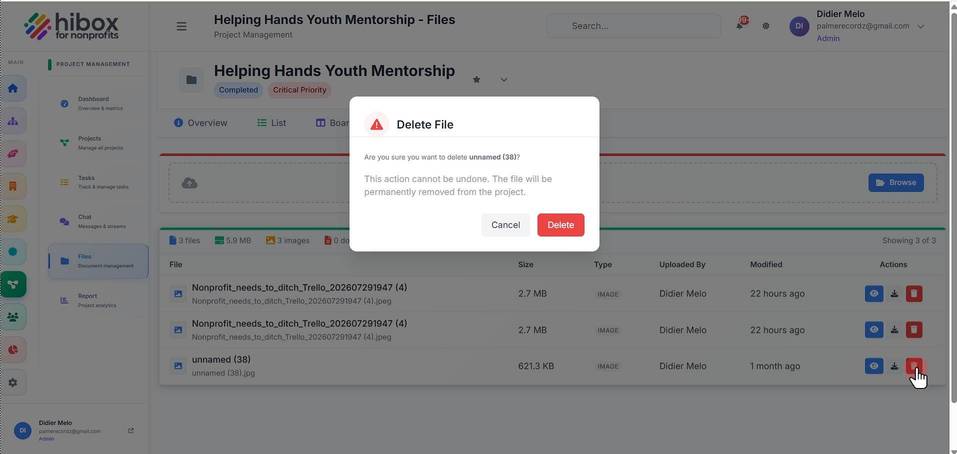
5. Click the "Delete" icon
6. Click "Delete" to permanently delete
We use optional analytics cookies to understand and improve this site. Cookie policy