Feedback
Knowledge Base
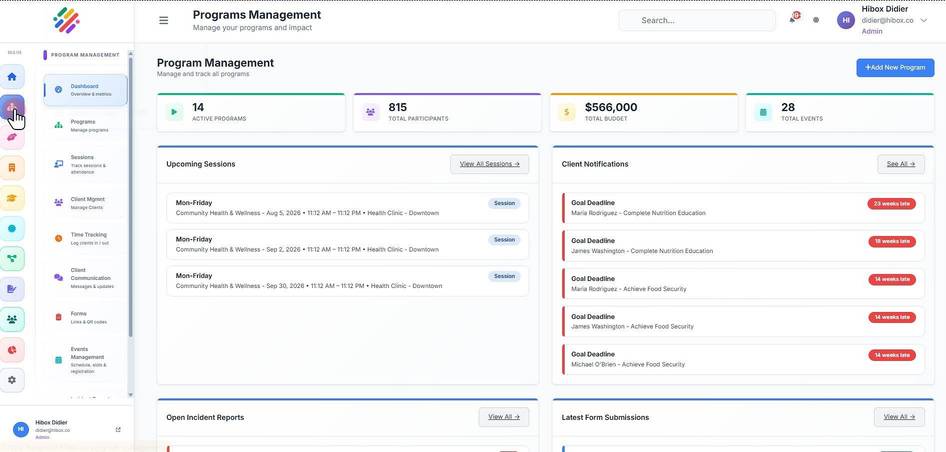
1. Click "Program Management" on the left side menu
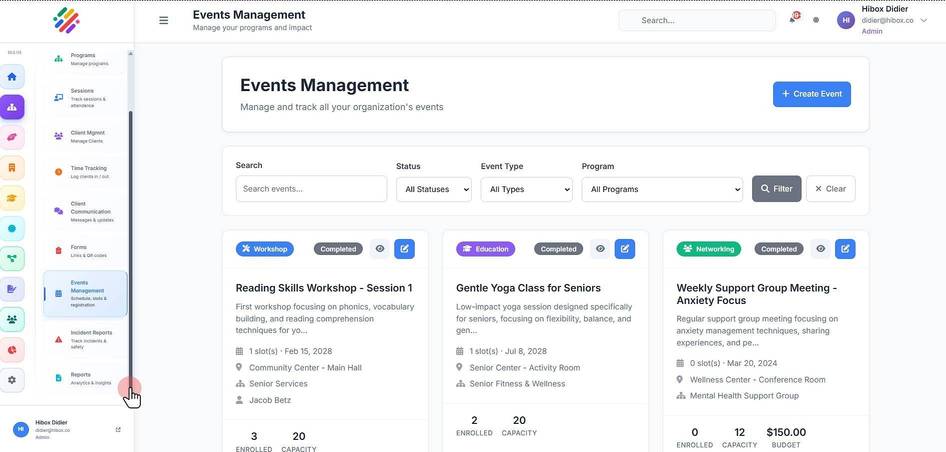
2. Scroll down on the sub-menu
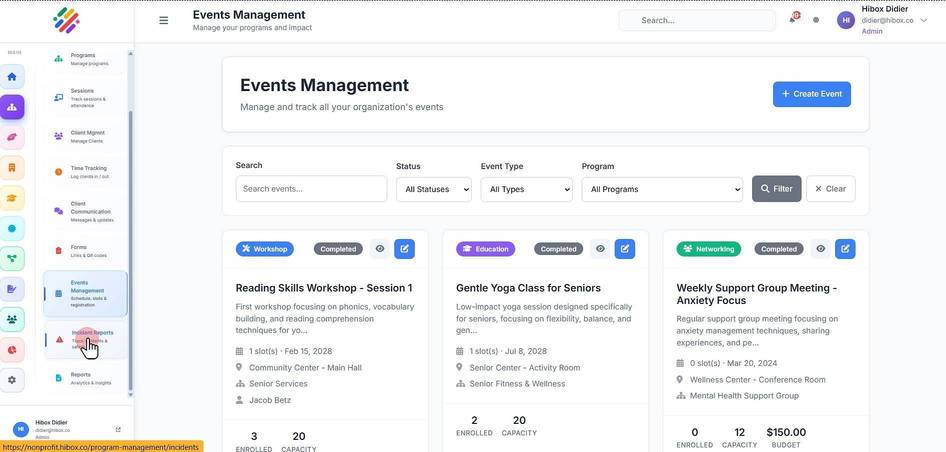
3. Click "Incident Reports"
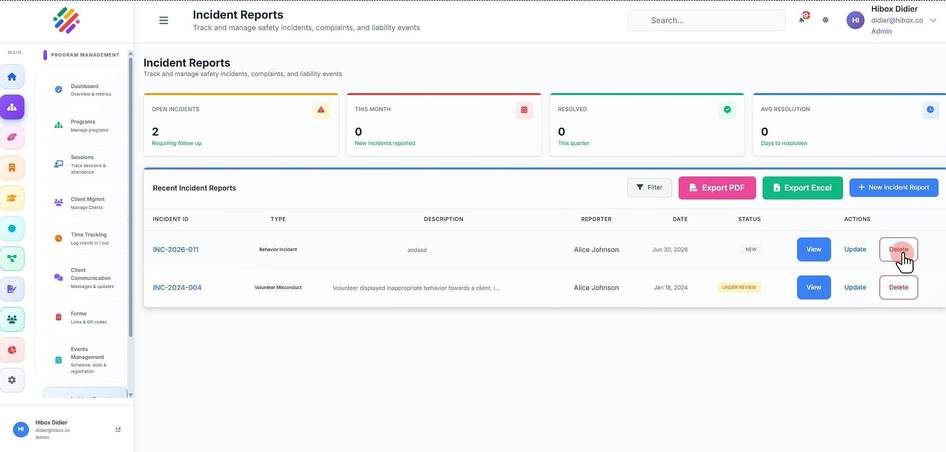
4. Locate the incident you wish to delete and click "Delete"
We use optional analytics cookies to understand and improve this site. Cookie policy