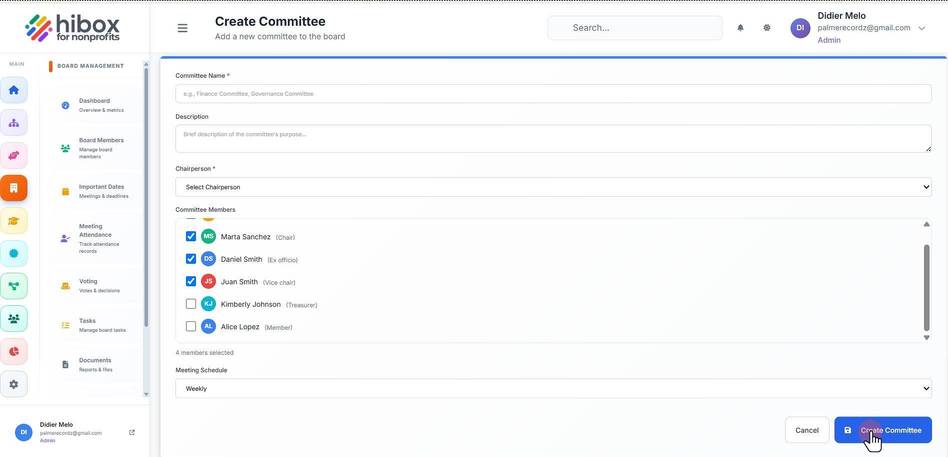
Managing Committees
Managing Committees
1. Click "Board Management" on the left side menu
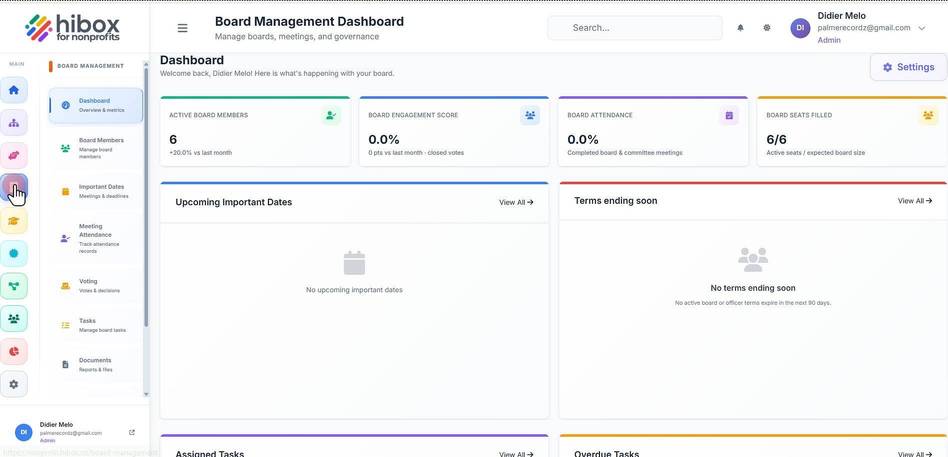
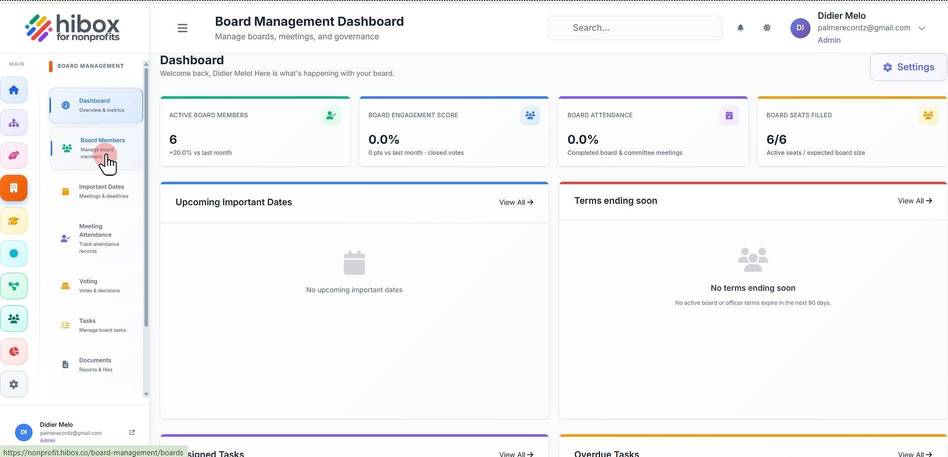
2. Click "Board Members" on the sub-menu
3. Click the "Manage Committees" button on the top right
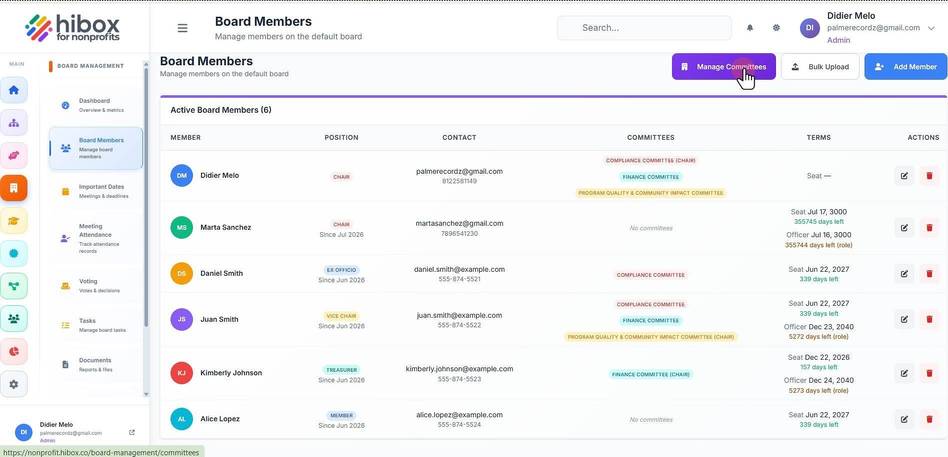
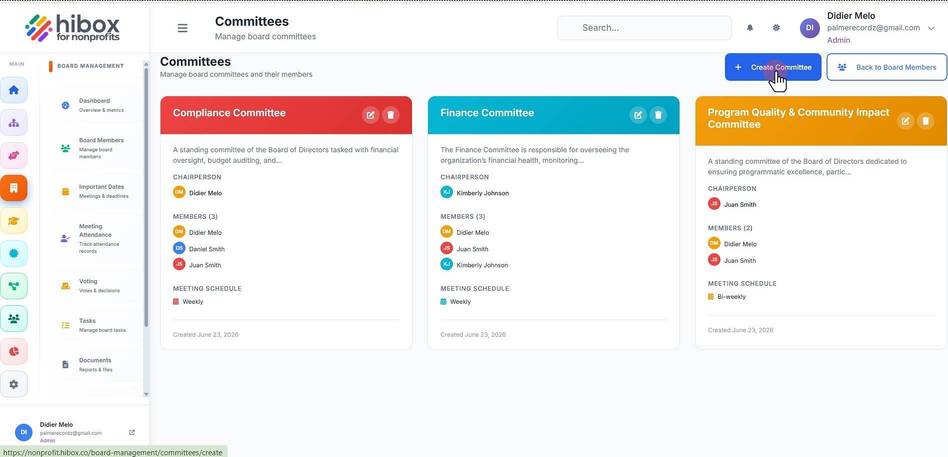
4. Click the "+ Create Committee" button on the top right
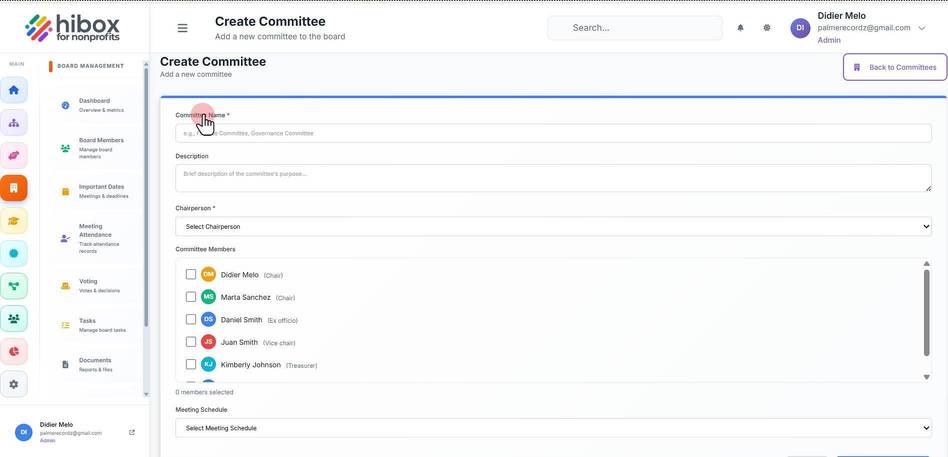
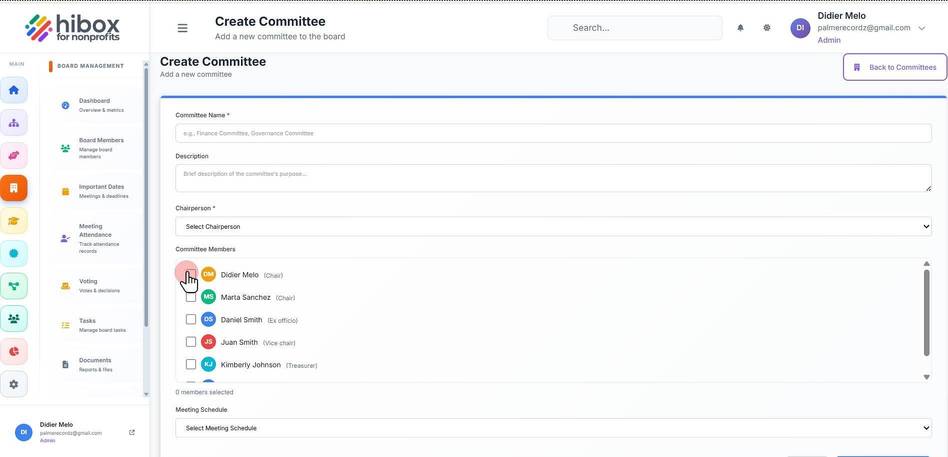
5. Type the "Committee Name"
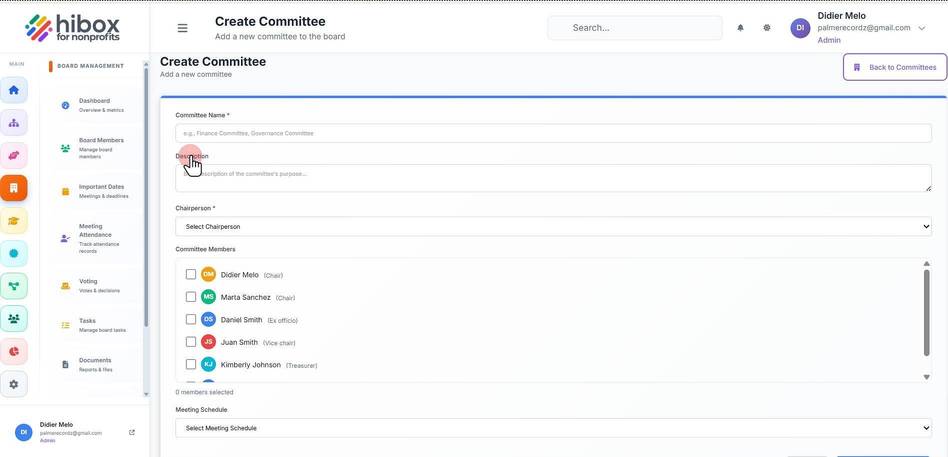
6. Type the "Description"
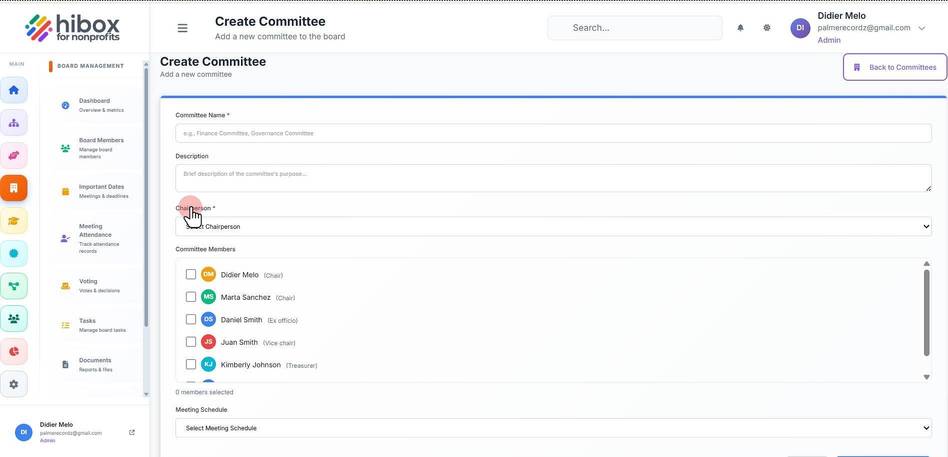
7. Select a "Chairperson"
8. Add "Committee Members"
9. Choose a "Meeting Schedule"
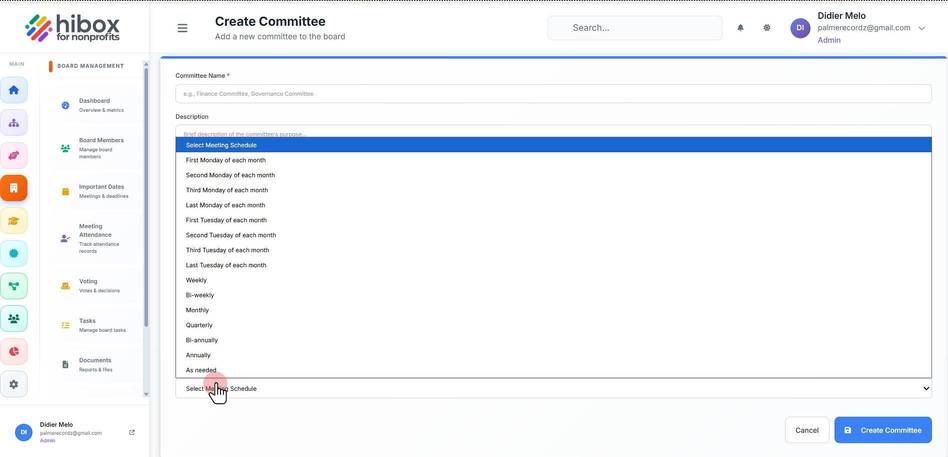
10. Click "Create Committee" to save changes