Feedback
Knowledge Base
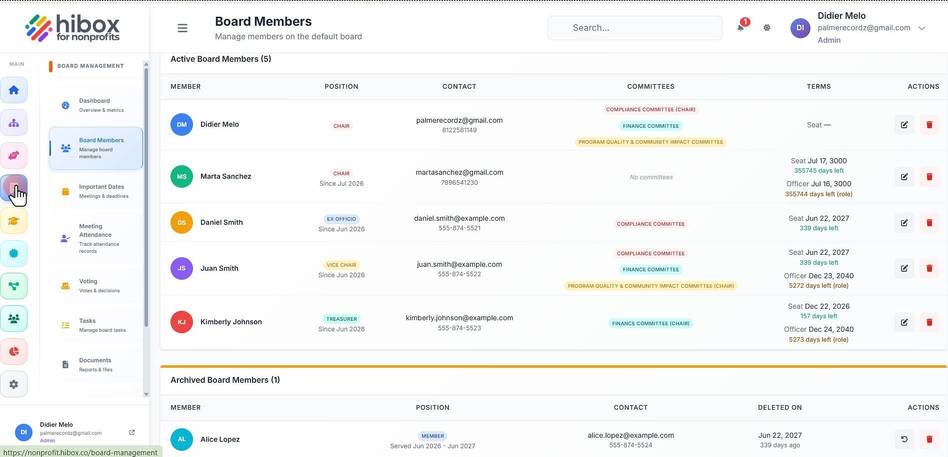
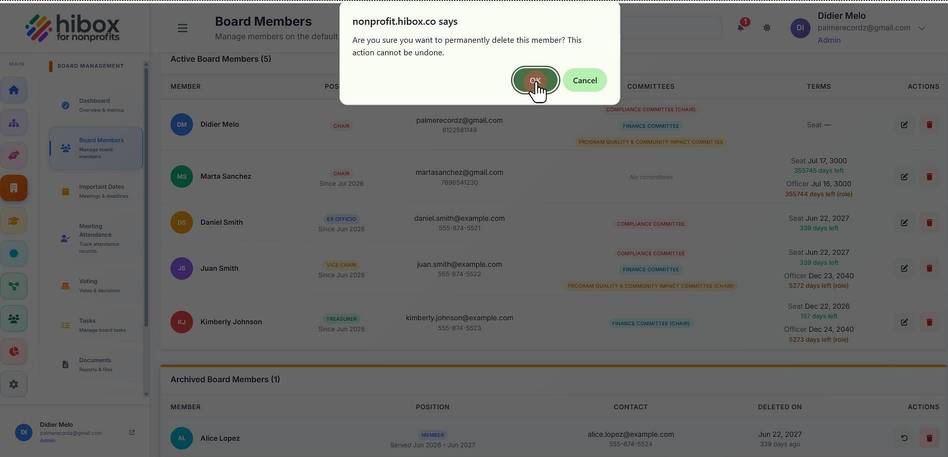
1. Click "Board Management" on the left side menu
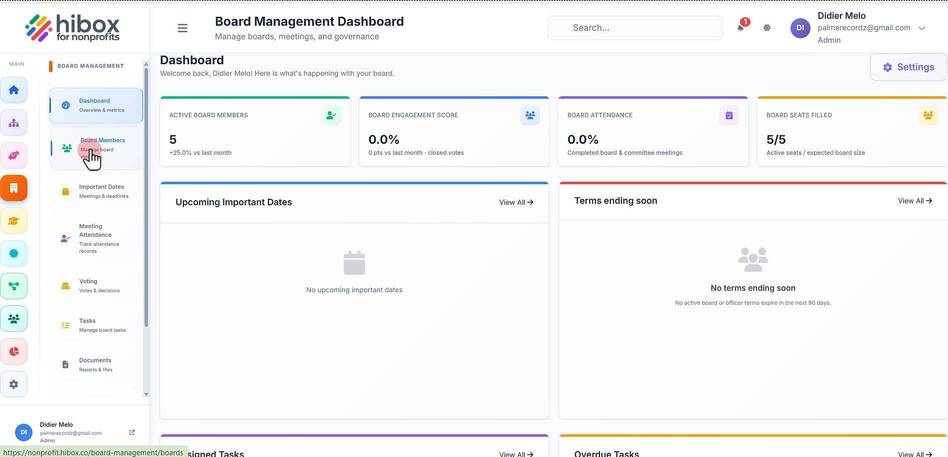
2. Click "Board Members" on the sub-menu
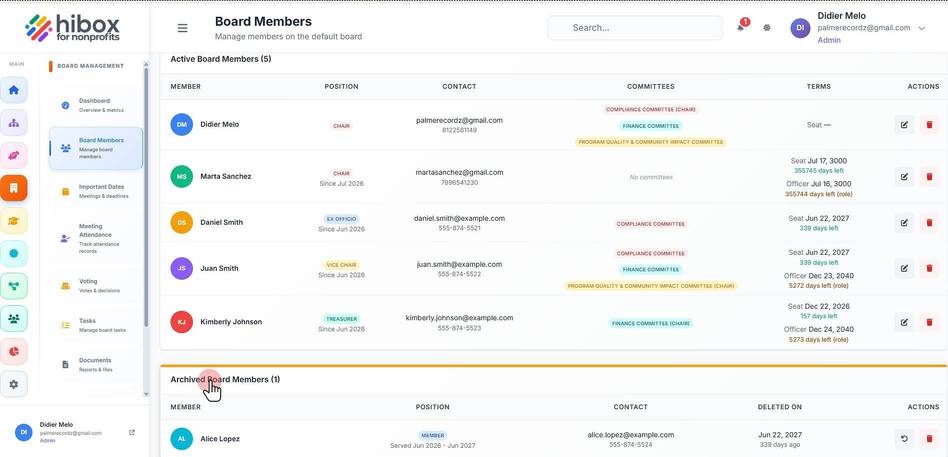
3. Scroll down to find the "Archived Board Members" section
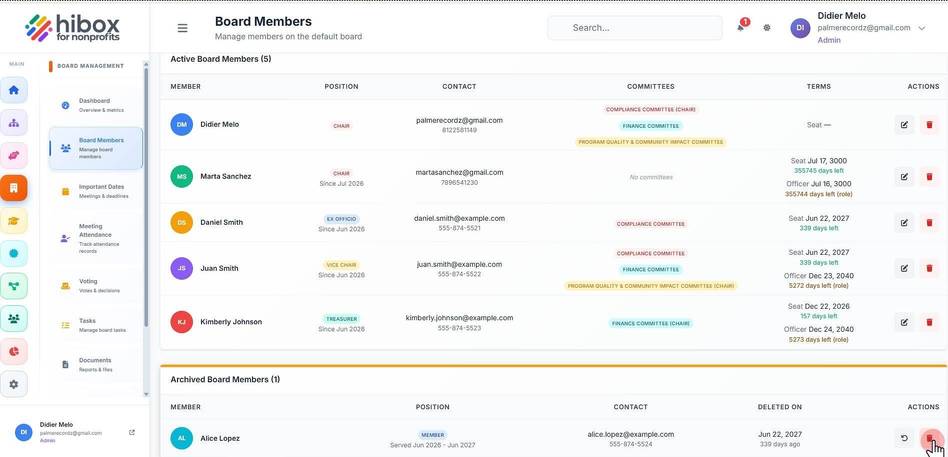
4. Click "Delete Permanently"
5. Click "OK" to confirm
We use optional analytics cookies to understand and improve this site. Cookie policy