Feedback
Knowledge Base
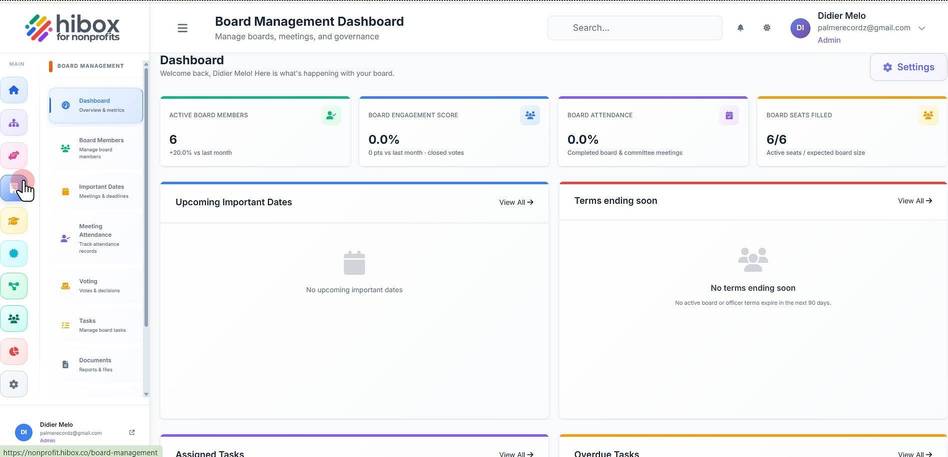
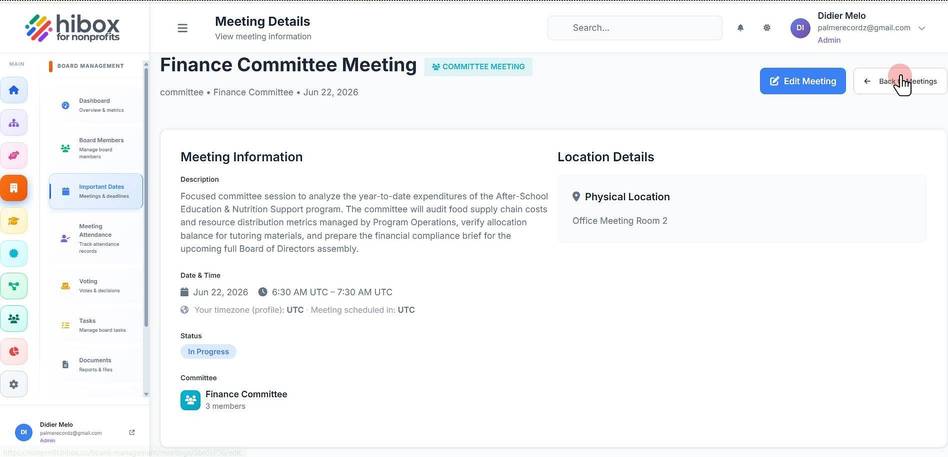
1. Click "Board Management" in the lest-side menu
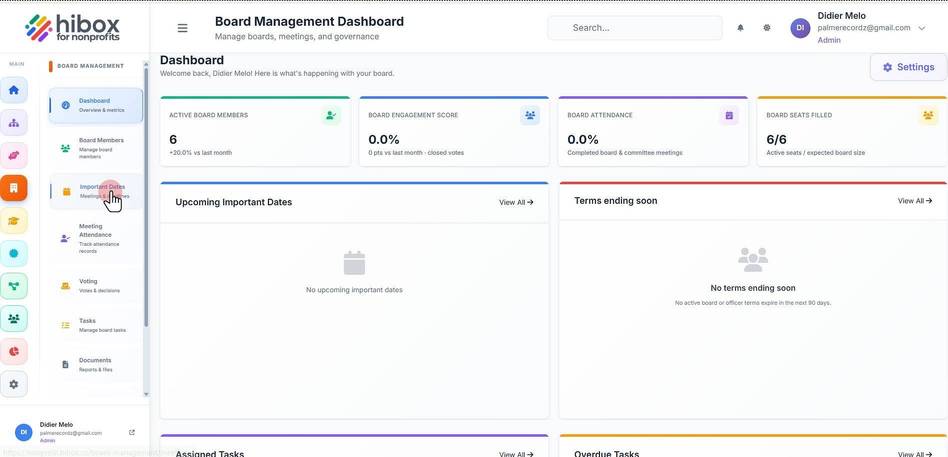
2. Click "Important Dates" on the sub-menu
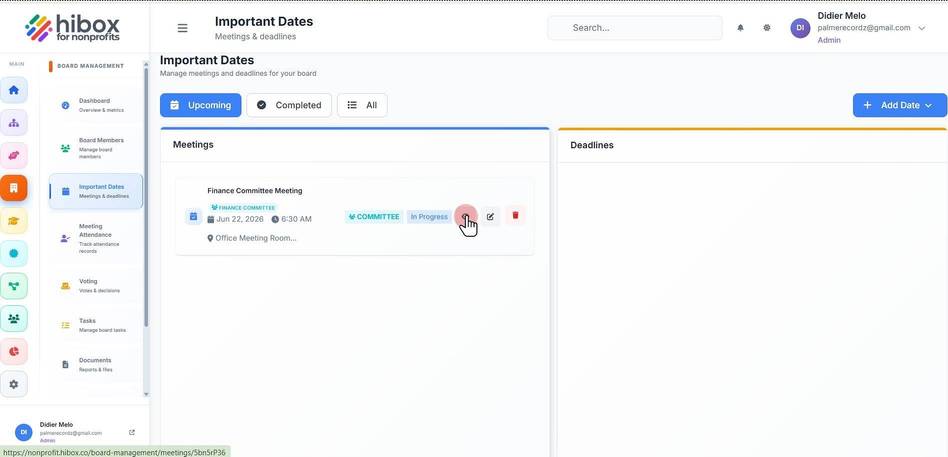
3. Click the "View" icon
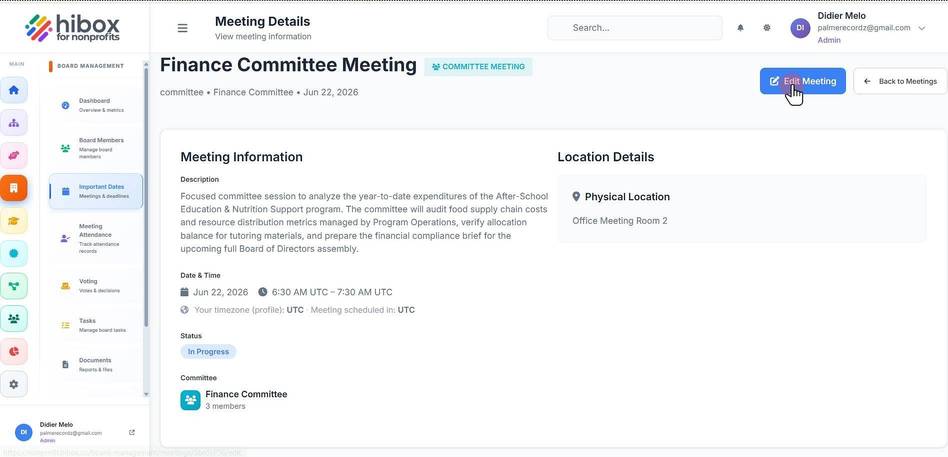
4. You can edit the meeting information using the "Edit Meeting" button
5. Exit by clicking on the "Back to Meetings" button
We use optional analytics cookies to understand and improve this site. Cookie policy